Download Samba is dead Font


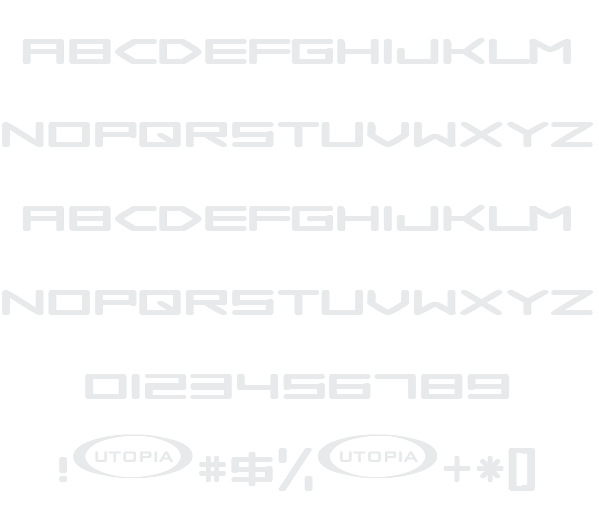
Samba is dead Example

Download Samba is dead - 12,969 downloads

Designed by Utopiafonts
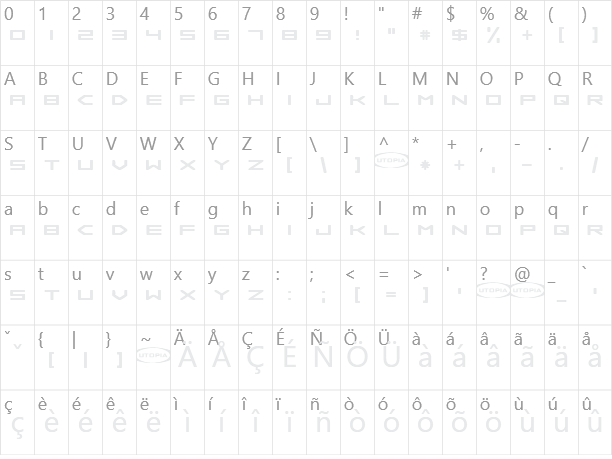
Futuristic Games Science-Fiction Technical Techno All Caps Samba is dead Example Samba is dead Character Map

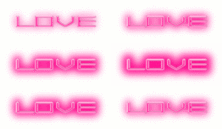
Create a Logo Using Samba is dead

Tie Dyed Logo Style
Felt Logo Style
Coffee Cup Logo Style
Particle Logo Style
Muddy Logo Style
Dark Logo Style
Spaced Out Logo Style
Pixel Badge Logo Style
Gold Bar Logo Style
DEEJAY Logo Style
Fantasy Logo Style
Tesla Logo Style
Animated Glow Logo Style
PURPLE GIRL Logo Style
Dragon Logo Style
Starburst Logo Style
Gunmetal Logo Style
Hot Pink Logo Style
Happy Joy Logo Style
Simple Logo Style
Invaders Logo Style
Chick Flick Logo Style
Skate Logo Style
Comic Logo Style
Tough Logo Style
Super Scripted Logo Style
3D Outline Textured Logo Style
Cheetah Logo Style
Outline Logo Style
iText Logo Style
Bad Acid Logo Style
Robot Logo Style
Slab Logo Style
Fire Logo Style
Cupid Logo Style
Merry Christmas Logo Style
Plastic Logo Style
Romance Logo Style
Alien Glow Logo Style
Sword Logo Style
Spring Logo Style
Legal Logo Style
Sugar Logo Style
Glitter Logo Style
Royal Logo Style
Iced Logo Style
Lasers Logo Style
Snowman Logo Style
Vampire Logo Style
Greek Gold Logo Style
Blinkie Logo Style
SAINT Logo Style
Chrome Two Logo Style
Graffiti Creator Logo Style
Candy Stripe Logo Style
Gradient Bevel Logo Style
Club Logo Style
Astroman Logo Style
Saint Patrick Logo Style
Molten Core Logo Style
Neon Logo Style
Gold Trim Logo Style
Flaming Logo Style
Glossy Logo Style
GOLD BEVEL Logo Style
Neon Green Logo Style
Studio 54 Logo Style
Black Gold Logo Style
Grinch Logo Style
Rage Logo Style
Keen Logo Style
Sushi Logo Style

Samba is dead Example

Samba is dead Example

Samba is dead Character Map

Samba is dead Character Map

Added on 2002年10月4日

12,969 downloads
Designed by Utopiafonts

Similar Fonts

Laserian Font Concielian Jet Font Mecha Font Ubuntu Title Font BatmanForeverAlternate Font

Font Installation Instructions


You may need to extract the .ttf files from a .zip archive file before installing the font.

Windows (XP/Vista/7/8/10)

Right-click on the .ttf file and select install.

MacOS X (10.3 or later)

Double-click on the .ttf file and select install.


Generator Categories

Most Popular Animated (7) Black (13) Blue (17) Brown (8) Burning (6) Casual (5) Chrome (11) Classic (5) Distressed (22) Elegant (11) Fire (6) Fun (10) Girly (7) Glossy (16) Glowing (20) Gold (19) Gradient (6) Gray (8) Green (12) Heavy (19) Holiday (6) Ice (6) Medieval (12) Metal (8) Neon (5) Orange (10) Outline (31) Pink (14) Purple (15) Red (25) Retro (7) Rounded (22) Science-Fiction (9) Script (5) Shadow (10) Sharp (6) Shiny (9) Space (8) Sparkle (7) Stencil (6) Stone (7) Trippy (5) Valentines (6) White (7) Yellow (15)