





















































Download Florante at Laura Font


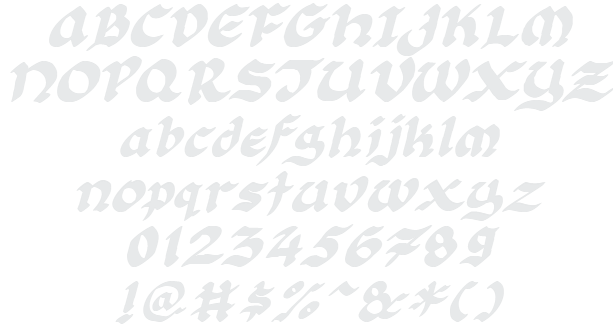
Florante at Laura Example

Download Florante at Laura - 30,441 downloads

Designed by Nyek! Pinoy
Script or Brush Stylish Medieval Magic Slanted Florante at Laura Example Florante at Laura Character Map

Create a Logo Using Florante at Laura

Vampire Logo Style
Astroman Logo Style
Legal Logo Style
Burning Logo Style
Slab Logo Style
Gelatin Logo Style
iText Logo Style
Fun Logo Style
Chrome One Logo Style
Rage Logo Style
Scavenge Logo Style
Chromium Logo Style
Happy New Year Logo Style
Glowing Steel Logo Style
Candy Stripe Logo Style
Pixel Badge Logo Style
Dark Logo Style
Miami Logo Style
Gradient Bevel Logo Style
Tie Dyed Logo Style
Glossy Logo Style
Neon Logo Style
Sushi Logo Style
Gold Outline Logo Style
Iceberg Logo Style
Chick Flick Logo Style
Ice Cube Logo Style
TROY Logo Style
Bad Acid Logo Style
Lava Logo Style
Halloween Logo Style
Tough Logo Style
Supernova Logo Style
Tribal Logo Style
Achilles Logo Style
Sword Logo Style
Blinkie Logo Style
Glowing Hot Logo Style
Saint Patrick Logo Style
White Logo Style
Spring Logo Style
Water Logo Style
Gold Bar Logo Style
Groovy Logo Style
Coffee Cup Logo Style
Epic Stone Logo Style
Neon Green Logo Style
3D Outline Gradient Logo Style
Invaders Logo Style
Chrome Two Logo Style
Plastic Logo Style
Easy Logo Style
Alien Glow Logo Style
Glitter Logo Style
Comic Logo Style
Ballerina Logo Style
Fire Logo Style
Robot Logo Style
Stranger Logo Style
Cupid Logo Style
Molten Core Logo Style
Muddy Logo Style
Caster Logo Style
Graffiti Creator Logo Style
Keen Logo Style
Liquid Gold Logo Style
Club Logo Style

Florante at Laura Example

Florante at Laura Example

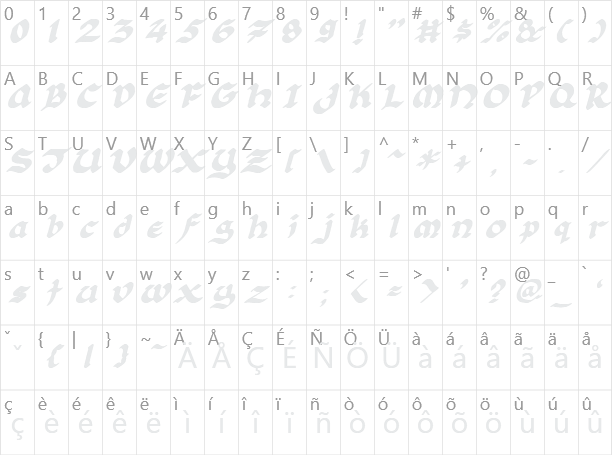
Florante at Laura Character Map

Florante at Laura Character Map

Added on 2011年8月8日
30,441 downloads
Designed by Nyek! Pinoy

Similar Fonts

Antsy Pants Font Ballpark Font Brush Stroke Font QuigleyWiggly Font Belligerent Madness Font

Font Installation Instructions


You may need to extract the .ttf files from a .zip archive file before installing the font.

Windows (XP/Vista/7/8/10)

Right-click on the .ttf file and select install.

MacOS X (10.3 or later)

Double-click on the .ttf file and select install.


Generator Categories

Most Popular Animated (7) Black (13) Blue (17) Brown (8) Burning (6) Casual (5) Chrome (11) Classic (5) Distressed (22) Elegant (11) Fire (6) Fun (10) Girly (7) Glossy (16) Glowing (20) Gold (19) Gradient (6) Gray (8) Green (12) Heavy (19) Holiday (6) Ice (6) Medieval (12) Metal (8) Neon (5) Orange (10) Outline (31) Pink (14) Purple (15) Red (25) Retro (7) Rounded (22) Science-Fiction (9) Script (5) Shadow (10) Sharp (6) Shiny (9) Space (8) Sparkle (7) Stencil (6) Stone (7) Trippy (5) Valentines (6) White (7) Yellow (15)